
Template:Location map
Template documentation (for the above template, sometimes hidden or invisible)
- Description
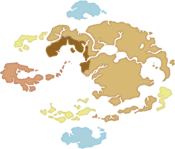
- This template is used to produce a map with a nation highlighted and a location marked by one or multiple markers.
- Dependencies
-
- Uses File:Mapair.png
- Uses File:Mapearth.png
- Uses File:Mapfire.png
- Uses File:Mapwater.png
- Uses File:MapURN.png
- Uses File:Mapmulti.png
- Uses File:Marker.png


- Syntax
{{Location map|maptype|left|top|name|link|include=...}}maptypeis one of air, earth, fire, water, URN, or multi. Otherwise, a map is not displayed.leftis marker offset in pixels from the left. Otherwise, a marker is not displayed.topis marker offset in pixels from the top. Otherwise, a marker is not displayed.nameis the name displayed when the mouse hovers over marker. Defaults to Location.linkis the link to go to when the marker is clicked. Defaults tonameelse Map of the World of Avatar.include=...may be used to include multiple markers (see last example).
- Clicking elsewhere on the map takes you to Map of the World of Avatar.
- Sample output
{{Location map|air
|20|30|Western Air Temple}}
{{Location map|earth
|118|84|Tu Zin Village|Tu Zin}}

{{Location map|fire
|8|65|Fire Nation Royal Palace}}
{{Location map|water
|59|125|Southern Water Tribe}}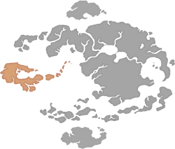
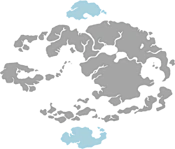
{{Location map|URN
|65|37|Republic City}}
{{Location map|multi
|20|30|Western Air Temple|include={{Location map|
|118|84|Tu Zin Village|Tu Zin}}{{Location map|
|8|65|Fire Nation Royal Palace}}{{Location map|
|59|125|Southern Water Tribe}}}}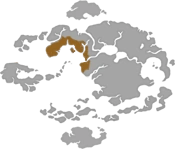
- See also
Visit Template:Location map/doc to edit this text! (How does this work?)
Done editing it? Refresh this page! (Why?)
Done editing it? Refresh this page! (Why?)